Main Page: Difference between revisions
imported>Dazz No edit summary |
imported>Jython234 mNo edit summary |
||
| Line 1: | Line 1: | ||
__NOTOC____NOEDITSECTION__ | |||
{{Box| | |||
BORDER = #9999FF| | |||
BACKGROUND = #99CCFF| | |||
WIDTH = 100%| | |||
ICON = | | |||
HEADING = Minecraft Modern | | |||
CONTENT = | |||
[[File:Banner beta.png|link=Category:Minecraft Modern]] | |||
Minecraft Modern is the latest (and only updated) version of Minecraft which requires a paid account to download, update and play. Most of the new development projects focus on either creating entirely new programs from scratch that interoperate with Minecraft (such as a bot or server) or modding projects that wrap the client or server and provide bug fixes, new features and enhancements to existing features. | |||
=== Documentation === | |||
There are ongoing efforts to keep reverse engineered documentation updated, but it isn't as easy as it sounds. The protocol generally changes with each release, and both the Client and Server classes get rearranged on each release. Below are links to the current documentation segments, which '''may or may not be up to date'''. | |||
* [[Protocol FAQ]] | |||
* [[Protocol|Current Protocol Specification]] | |||
** [[Protocol Encryption]] | |||
** [[Server_List_Ping|Server list ping]] documentation | |||
** [[Protocol_version_numbers|Protocol version numbers]] | |||
* [[Pre-release protocol|Pre-release Protocol Specificaton]] | |||
* [[Authentication|Authentication Scheme]] | |||
* [[Mojang_API|Mojang API]] | |||
* [[Game Files|Location of Game Files]] | |||
* [[Map Format]] (See also: mirror of the old [[NBT]].txt) | |||
* [[Snoop|Snoop Mechanism]] | |||
* [[Realms API]] | |||
* [[Rcon]] and [[Query]] protocol specifications | |||
* [[Debugging]] | |||
=== Tools & Mods === | |||
[[ | * [[Client List|Clients]] - third-party Minecraft clients. | ||
* [[Server List|Servers]] - third-party Minecraft servers. | |||
* [[Library List|Libraries]] - libraries to interface with Minecraft data files or network protocols. | |||
* [[Utility List|Utilities]] - tools that interface with a client, server, or data files, such as proxies, bots, or inventory editors. | |||
* [[Wrapper List|Wrappers]] - mods that override features in the client or server | |||
* [http://b.wiki.vg/ Burger Vitrine] shows differences in data and protocol between arbitrary versions. | |||
* [[:Code Snippets]] | |||
=== Tutorials & Guides === | |||
* [[How to Write a Client]] | |||
* [[Chat|How Chat Works]] | |||
For more info, check out [[:Category:Minecraft Modern|Minecraft Modern]]. | |||
}} | |||
{{Box| | |||
BORDER = #9999FF| | |||
BACKGROUND = #99CCFF| | |||
WIDTH = 100%| | |||
ICON = | | |||
HEADING = Minecraft Classic | | |||
CONTENT = | |||
[[File:Banner classic.png|link=Category:Minecraft Classic]] | |||
Minecraft Classic is the original version of Minecraft, available for free to the public. It's still available off of the main website today and is still played by many people, with an active development community. As it's been around since 2010, and because it's so simplistic, there are many, many programs made to work with Classic - there are over '''18+''' servers alone, written in everything from C++ to PureBasic to Perl. It's highly recommend if you're planning to do a development project at this point to instead look into the Minecraft Modern specifications. | |||
[[ | === Documentation === | ||
As there is no longer any work being done on classic, the documentation for it is stable. If you create something that works with it, it probably always will. | |||
* [[Classic Protocol|Protocol Specification]] | |||
* [[Classic DAT Format|Server Map Format (.dat)]] | |||
* [[MCLevel Format|Saved Level Format (.mclevel)]] | |||
[[ | === Source Code Snippets === | ||
Source code snippets provide insight into how specific features work or can be accomplished, and by themselves are generally free to use in your own program. | |||
* Deserializing the level.dat file format ([[deserialize.c|C]], [https://gist.github.com/324122945a569a513bae C#]) | |||
* [[:Category:Code Snippets|More...]] | |||
=== Tools and Mods === | |||
Useful information & links | |||
* [[Classic Client List|Clients]] - third-party Classic clients. | |||
* [[Classic Server List|Servers]] - third-party Classic servers. | |||
* [[Classic Library List|Libraries]] - libraries to interface with Minecraft data files or network protocols. | |||
* [[Classic Utility List|Utilities]] - tools that interface with a client, server, or data files, such as proxies or bots. | |||
* [[Classic Wrapper List|Wrappers]] - mods that override features in the client or server. | |||
For more info, check out [[:Category:Minecraft Classic|Minecraft Classic]]. | |||
}} | |||
{{Box| | |||
BORDER = #9999FF| | |||
BACKGROUND = #99CCFF| | |||
WIDTH = 100%| | |||
ICON = | | |||
HEADING = Minecraft Pocket Edition | | |||
CONTENT = | |||
[[File:Banner pocket.png|link=Category:Pocket Minecraft]] | |||
Pocket Minecraft is the version of Minecraft for portable systems such as Android or iOS devices. It currently has very little documentation. | |||
=== Documentation === | |||
The documentation for Pocket Minecraft is currently lacking and needs improvement. | |||
* [[Pocket Minecraft Protocol|Protocol Specification]] | |||
* [[Pocket Edition FAQ|FAQ]] | |||
* [[Pocket Editon Login|Login Procedure]] | |||
* [[Pocket Realms|Pocket Realms]] | |||
* [[Pocket Minecraft Map Format|Map Format]] | |||
=== Tools === | |||
Useful information & links | |||
* [[Pocket Edition Program List|Program list]] - third-party PE programs | |||
For more info, check out [[:Category:Pocket Minecraft|Pocket Minecraft]]. | |||
}} | |||
Revision as of 20:00, 6 September 2014
|
Minecraft Modern
|

|
Minecraft Classic
|

|
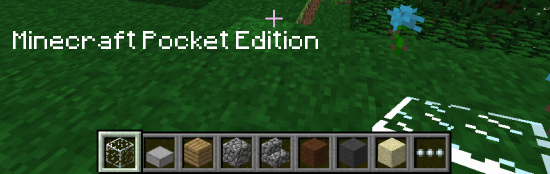
Minecraft Pocket Edition
|